
Tech
Drone Surveying: The Rules, the Data and the Quote

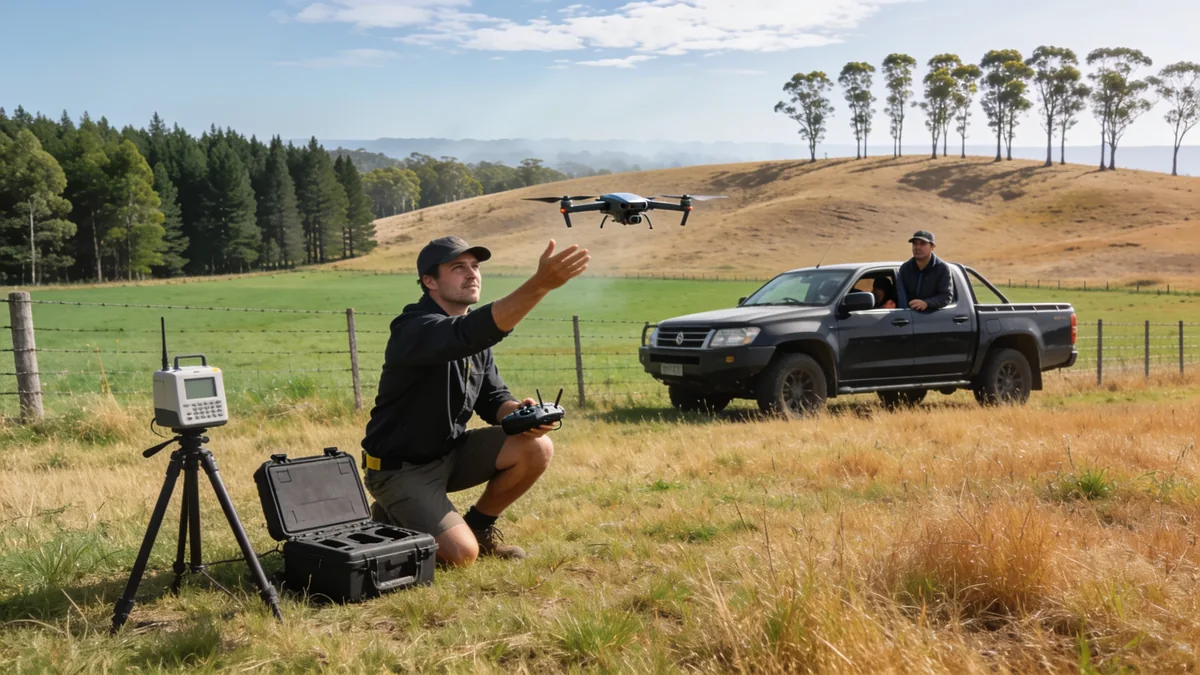
Drone surveying is the use of a remotely piloted aircraft to measure land and structures from above. The aircraft is the visible part of the work and the least important one. The product is a dataset: positions, surfaces and volumes, measured closely enough to plan from and to rely on later.
Two ways the data gets captured
Almost all drone surveying uses one of two capture methods, and the choice between them follows the ground cover and the accuracy required.
- Photogrammetry. Hundreds of overlapping photographs are processed into a three-dimensional surface. It is the cheaper method per hectare, the output reads well visually, and it struggles wherever the ground cannot be seen: dense canopy, tall crop, deep shadow.
- LiDAR. A laser measures distance to the ground itself, taking many thousands of readings per second, and the returns are rich enough to model terrain through gaps in vegetation. The equipment costs more to buy, fly and process, which is why it is chosen where canopy or accuracy justifies it.
Both methods depend on positioning. Satellite correction or ground control points anchor the model to real coordinates, and a quoted accuracy describes the whole chain: aircraft, sensors, control and the conditions of the flight. Two surveys flown over the same field on the same day can carry different accuracy figures, and a number quoted without its ground control says little on its own.
What the aircraft changes
Cover is the first change. An area that would occupy a field crew for days is flown in hours, at a resolution that can be increased simply by flying lower. The practical gains go further than speed: steep ground, water edges, rooftops and busy roads stop being places people need to stand.
The larger change, and the one that is easy to overlook, is repeatability. A flight repeated on the same lines at the same intervals becomes change measurement: progress evidence, stockpile tracking and erosion monitoring accumulate without anyone deciding to start a program. Doing that with ground crews is possible, and expensive enough that it rarely happens.
What does not change
A boundary is a legal instrument, not a photograph. In Australia, cadastral surveying is regulated by state and territory legislation, and only a licensed surveyor may carry out and certify that work. Aerial imagery can show where a fence stands and can support what a surveyor does, but it cannot create, move or certify a boundary, and on its own it carries no weight in a dispute over title.
Easements, covenants and titles sit in the same place. When boundary certainty is the actual question, the drone is an input to a licensed surveyor’s work rather than a replacement for it, and the experienced operators are the first to say so.
The rules on flying it
Commercial flying sits under the Civil Aviation Safety Authority’s drone rules, and what applies depends on the aircraft and on how and where it is flown. Registration and pilot accreditation requirements attach to most commercial work, and additional rules apply near airports, in controlled airspace and over people. A provider should be able to state its operating basis without hesitating. One that cannot answer that question plainly is worth a second look.
Where it is used
The roles are practical. Construction firms fly sites monthly for progress claims and dispute evidence. Quarries and mines estimate stockpile and extraction volumes. Farmers map drainage, crops and erosion. Asset owners inspect roofs, towers, bridges and dams without sending people up ladders or down walls. Councils and planners overlay aerial data on maps for early feasibility work, and after storms and fires, flights produce damage assessments at a speed ground crews cannot match.
Where the data goes
Every flight produces more data than it feels like it should: point clouds, orthomosaics, surface models, and the working files behind them. The surveying question ends at delivery, and a business question starts. Where do the files live, who can open them, and will they still be readable when the next stage of the project needs them? Those are the same storage and sharing decisions any organisation meets when its files move to a platform rather than a drawer, and the questions worth settling are set out here.
What a quote should state
The differences between quotes usually sit in what they exclude. These are the lines worth having in writing before anyone flies.
- The area, and the flight count. How many passes over how much ground, and what triggers a reflight.
- The accuracy target, and its basis. A figure is meaningless without the ground control and processing behind it.
- The deliverables and formats. Point cloud, surface model, orthomosaic, contours: each takes work, and the quote should price the ones you need.
- Processing and turnaround. Flight time is the short part. Ask when the processed data arrives, not when the drone lands.
- Site conditions and access. Who arranges permissions, and what a postponement costs.
- Whether a licensed surveyor signs anything. If the output is going into a legal or approval process, this is the question that decides the price.
What the flight does not replace
The drone produces measurements; it does not know what they mean for a boundary, a contract or a liability. That part belongs to the people qualified to hold it, and on a well-run job the two halves work in series: the flight produces the data, and professional judgment turns it into something a decision can rest on. Ask what the pilot hands over, ask who signs it off, and you will usually have found the line between a thorough quote and a cheap one.
Sources: the Civil Aviation Safety Authority (casa.gov.au) publishes the drone safety rules for commercial operations; Geoscience Australia (ga.gov.au) and the state and territory surveyors-general publish guidance on surveying and spatial data.

Google Workspace is a subscription that gives an organisation the Google productivity applications on its own domain, with administrative control over the accounts that use them. Gmail, Calendar, Drive, Docs, Sheets, Slides, Meet and Chat are the components most people recognise. The admin console, which most descriptions leave out, is the reason a business buys it rather than issuing everyone a free consumer account.
The distinction is not cosmetic. A free account is owned by the person who created it, is subject to consumer terms, and cannot be transferred, suspended or audited by an employer. A Workspace account is owned by the organisation, sits under a business agreement, and can be administered. For a business of any size, that is the product.
What the editions differ on
Google sells Workspace in tiers, and the tiers are separated by three things rather than by the applications themselves, which are essentially the same across the range.
- Storage. The entry tier provides a pooled allowance shared across users; the higher tiers increase it substantially. Storage is the first constraint most growing teams meet, and the first reason a business moves up a tier.
- Meeting and recording capability. Participant limits, recording, live streaming and attendance tracking sit in the higher tiers, which matters to any organisation that runs large external meetings.
- Administrative and security controls. The top tiers add controls over data regions, retention, device management and advanced security reporting. A regulated business tends to need these; a ten-person consultancy rarely does.
Two qualifications belong with that comparison. The first is that Google changes the contents of each tier periodically, so a comparison written a year ago may not describe what is being sold today, and the current published plans are the only reliable source. The second is that the subscription price is not the cost of the project. Migration, configuration and the internal time spent learning a new system sit outside the per-user figure, and they are frequently larger than the first year of licences.
The setup decisions that are hard to reverse
Workspace is easy to buy and easy to get wrong, because the defaults are designed for consumer convenience rather than organisational control. Four settings deserve attention before users are added.
- Identity and domain. The domain must be verified and the mail records pointed at Google, which means the records that control email authentication move at the same time. Get the sending records right, including the authentication records that mailbox providers check, or legitimate mail starts landing in spam and the cause is not obvious afterwards.
- Two-step verification. Enforced from the start, not offered. Retrofitting it across an organisation that has grown used to passwords alone is significantly harder than requiring it on day one.
- Shared drives, not personal folders. A file created in one person’s My Drive belongs to that person’s account. When they leave, the access goes with them unless the data has been transferred. Shared drives give the organisation ownership from the beginning, and moving later means re-sharing everything.
- Admin roles and recovery. More than one super administrator, with recovery options configured. An organisation with a single administrator and no recovery path has a business continuity risk in one account.
Sharing defaults are the fifth item and the least technical. The default that allows anyone with a link to open a file is convenient and it is how confidential documents end up outside an organisation. Setting the default to a narrower option and requiring an explicit decision to widen it costs nothing and prevents the majority of avoidable incidents.
What migration involves
For a business moving from another provider, the migration has three separate parts, and they behave differently.
- Mail. Email history can generally be migrated in bulk. The volume is what determines the duration, not the complexity, and a large archive can take days rather than hours.
- Calendar. Event data moves well, but shared calendars and recurring meetings frequently need to be rebuilt by hand because the sharing relationships do not transfer cleanly.
- Files. Documents move; their sharing permissions and links often do not. Every internal link in a document, every bookmark and every saved shortcut is a thing that either survives the move or has to be reissued, and nobody notices until someone clicks one.
A migration plan that accounts for those three separately is a different document from one that promises “everything moved”. The second is a promise the tooling cannot keep.
Doing it yourself compared with paying for help
The honest answer depends on the size of the organisation and the amount of history it is carrying, not on the complexity of the software.
A small team with a clean start, no legacy archive and a technically capable person on staff can complete the setup described above without external help. Creating users, enforcing two-step verification, configuring shared drives and adjusting sharing defaults are documented tasks, and a business can genuinely do them itself.
Three situations change the calculation. A large mail archive, where a failed or partial migration is expensive to unpick. A regulated or contractually constrained business, where retention, data location and access controls need to be defensible rather than merely sensible. And an organisation with no one holding responsibility for IT at all, where the practical issue is not capability but the absence of a person who will be asked the questions later.
Where help is engaged, the engagement should be scoped in the same terms the business would use itself: which of the four setup decisions are included, what happens to the existing archive, and what the handover looks like. An engagement that produces a working tenant but no documentation leaves the organisation in a worse position than one that never bought the software.
The obligations that come with the tools
Moving business records into a cloud platform does not change a business’s obligations to protect personal information. Australia’s privacy legislation applies to many organisations, and the so-called small business exemption is narrower than it sounds: it does not extend to health service providers, to businesses that trade in personal information, or to many of the other exceptions the Act sets out.
What that means in practice is not that Workspace should be avoided, which would be an odd conclusion given how widely it is used. It means the security configuration described above is the compliance work, and the notifiable data breach scheme that sits behind it assumes the organisation has thought about who can access what, and how it would know if that changed.
For teams already invested in the wider Australian software ecosystem, the comparison that usually follows is with the project and documentation tools that other vendors build. How that industry developed, and what it reveals about the tools Australian teams adopted, is worth a read if you are choosing a stack rather than a mailbox.
What to plan before you move
Choose the tier by the constraint you are most likely to meet, which is usually storage or meeting size rather than security. Configure two-step verification, shared drives and admin recovery before the first user signs in, because all three are cheaper at the start. Treat mail, calendar and files as three projects. And decide, in writing, who owns the tenant after the migration ends, because that is the question nobody asks on the day and everybody asks two years later.
Sources: Google publishes the current edition comparison, admin documentation and migration guidance for Workspace at workspace.google.com; the Office of the Australian Information Commissioner (oaic.gov.au) publishes the scope of the Privacy Act, the small business exemptions and the notifiable data breaches scheme.

Atlassian is routinely called Australia’s most successful software company, and the description is defensible. Two people, a small debt and a product idea turned into a business that now sells to software teams worldwide. What makes the story worth reading is the handful of decisions under the scale, because some of those can be copied and some genuinely cannot.
The founding, as the founders tell it
Mike Cannon-Brookes and Scott Farquhar started the company in Sydney in 2002, two university friends with no customers and no outside money. The story they tell about the start involves a ten thousand dollar credit card debt, and the number is less important than what it bought: time to sell something before answering to investors. The company ran without venture funding for its first eight years.
Its first product was also its most ordinary-looking: Jira tracked bugs for software teams. That was a small, unglamorous and extremely common job, and the company sold into it directly, online, at prices a team could approve without a procurement department. Confluence followed, for the documents and wikis that teams keep. The strategy, in hindsight, was to own the daily tools of software work rather than anything that could be called a platform.
Sell directly, to the person with the problem
For most of its first decade, Atlassian did not run an enterprise sales army. It published prices, sold online, and let the tool spread from team to team. That is a harder model than it sounds, because it forces the product to explain itself and the price to survive daylight. It also means the growth is made of people who chose the software rather than people who were sold it, which is a more durable kind of base.
Once the base existed, buying made sense. Bitbucket and Trello were absorbed into the range, each one a tool sitting near the same daily work. The acquisitions did not create a new strategy. They thickened the old one.
The culture was a decision, not a vibe
Atlassian states its culture in writing, including the famous instruction to be an open company with no bullshit. The famous part is the wording. The useful part is that the company has kept spending on the practices that make the wording true, like the internal days where staff stop their normal work and ship an idea they chose themselves.
Culture at scale is what an organisation keeps doing when it would be easier to stop. Hiring practices, how decisions get published, and what founders visibly reward all show up in the product eventually. Atlassian’s version of this has been stable enough to be a recruiting asset, which is the commercial test most culture statements fail.
Sydney was a fact, not an excuse
Sydney remains the company’s headquarters, and it built a global software business from there in an era when the conventional advice said not to try. Being remote from Silicon Valley changed the hiring pool and the investor list. It clearly did not cap the outcome. Founders elsewhere read the story as permission, and the honest reading is narrower: the location removed some options and added others, and the company used what it had.
Australian software now covers more ground than workplace tools. The same years that produced Atlassian also produced a wave of health technology, and what mental health apps and wearables can and cannot do is its own question, judged by different rules than a work tool is.
The giving, structured like the business
Atlassian was among the founding companies behind Pledge 1%, a program that asks companies to commit one per cent of equity, profit, product and employee time to their communities. The structure has framed the company’s giving since. The detail worth noticing as a business lesson is that the commitment is engineered rather than charitable in the moment: it is written into the company’s design, so it survives a bad year and a change of management.
What other founders can take
- Solve a common, unglamorous problem. Bug tracking was nobody’s dream market. It was everybody’s daily chore, which is better.
- Sell to the person who feels the pain. A price a team can approve removes an entire layer of friction from growth.
- Let one product earn the next. Confluence, Bitbucket and Trello each arrived to a base that was already there, rather than to a cold market.
- Write the culture down and keep funding it. A value that survives the busy quarter is the only kind that counts.
- Build from where you actually live. Distance from the usual capital is a cost. It is not a ceiling.
Copy the method, not the myth
The parts of the story that cannot be copied are the parts most often quoted: two founders with unusual endurance, timing that placed the company in front of a once-in-a-generation shift to internet-delivered work tools, and a list of decisions that look obvious only after they worked. The parts that can be copied are duller and more useful: pick a real problem, sell directly to the person holding it, reinvest in the product before the market forces you to, and keep the promises you wrote down. Carry that out of the story, and leave the swagger on the shelf.
Sources: Atlassian’s company history and investor relations pages (atlassian.com); the Nasdaq listing record for the company’s 2015 float; Pledge 1% program information (pledge1percent.org).

A watch can tell its wearer that their sleep was poor and their stress was elevated before they felt either. Whether that information helps is a separate question from whether the sensor is accurate, and the two get blurred together in most of the marketing around these tools.
This article sets the categories side by side: what each one does, what its figures can and cannot support, and the point at which the data should give way to a person.
The categories, side by side
- Meditation and breathing apps. Guided sessions and breathing exercises, usually built around short daily practice. The better free options are genuinely useful for mild stress. The subscription tiers add libraries and courses rather than a different mechanism, so the decision is about content, not technology.
- Mood trackers. Simple daily logs of mood, energy and triggers. Their value is the record: patterns across weeks say more than any single entry, and the record is worth more to a clinician than to the person who made it.
- Online therapy platforms. Video or message sessions with a practitioner. These are treatment, not a wellbeing accessory, and they should be compared on the clinician and the fee rather than the app store rating.
- Wearables. Continuous measurement of heart rate, heart rate variability, sleep and movement. The hardware is now comparable across the major brands. What differs is the software: what the app does with the data, and how much of it sits behind a subscription.
What the data can and cannot say
The stress scores on a watch are estimates derived from the timing of heartbeats, and sleep stages are estimated from movement and heart rate. For a healthy person, the trend across weeks carries more weight than one bad night, and a single bad night carries almost none. None of it is a diagnosis.
A figure also excludes what surrounds it. A stress score says nothing about the deadline, the argument or the flu; a sleep score cannot see the crying baby in the next room. The number will be believed more than it deserves, precisely because it is a number, and the person reading it should know what has been left out of the calculation.
One limit is worth stating plainly: the tools measure what a wrist can feel, and mental health is not on that list. A watch can notice a hard month in the numbers after it has happened. It cannot say why the month was hard, and the why is the part that treatment works with.
Where the evidence stands
The research on wellbeing apps is young. The trials tend to be small, the follow-up periods short, and the results modest, which is not the same as useless: several well-designed studies find real reductions in stress and anxiety symptoms for guided programs. What the evidence does not support is the substitution claim, that an app replaces the work a clinician does.
An app can be a reasonable first step. It is a weak substitute for treatment, and the difference matters most when someone is unwell enough to need the treatment.
Choosing a device without chasing this year’s model
Hardware generations turn over roughly annually, and prices move with them, so a recommendation written against this year’s line-up is stale within months. The features that persist are the ones worth comparing. Battery life, because a dead tracker measures nothing. Phone compatibility, because half the value sits in the app. Whether the useful analysis needs a subscription, because the free tier is often the sensor without the interpretation. Whether the data can be exported, because a record you cannot take to an appointment has a shorter life than you think.
Privacy is part of the comparison
A mood log is sensitive data. It describes the worst weeks of someone’s life in a format designed to be shared. The platforms differ in what they store, who can access it and what leaves the device, and the differences are laid out in their own policies. Read them the way you would read the price, because on this purchase the price is the smaller half of the deal.
Boundaries for the tool itself
Two habits keep the technology in its place. The first is deciding what the data is for before the first week of collection, whether that is sleep, activity or mood, and ignoring the metrics that answer no question you asked. The second is turning notifications off. A tracker should serve the day. It should not grade it.
When to speak to someone
The apps are for the shallow end. If low mood has persisted for weeks, if sleep is poor night after night, if anxiety is constant rather than occasional, or if daily life is shrinking around the problem, the wrist is not the right clinician. The signs that it is time to speak to a professional are worth an honest read, and for younger users, the services that support children and teenagers set out the pathways that families can actually use.
The trend line is not a diagnosis
Use the watch and the apps for what they are: a prompt and a pattern. Keep the diagnosis with a person. If the numbers say something is wrong, that is a reason to make an appointment, not a reason to keep refreshing the screen.
Sources: Smiling Mind (smilingmind.com.au), the Black Dog Institute (blackdoginstitute.org.au) and Beyond Blue (beyondblue.org.au) publish free or reviewed guidance on digital mental health tools; device manufacturers list the sensors, subscription terms and privacy policies each product relies on.


 Healthcare1 year ago
SIL Providers: What to Compare Before You Commit
- Healthcare1 year ago
What Is Physiotherapy?
- Healthcare1 year ago
What a Dental Implant Replacement Costs in Melbourne
- Food1 year ago
Budget Bites: Delicious Meals You Can Cook for Under $10
- Healthcare1 year ago
What Changes When You Start SIL
- Tech1 year ago
Mental Health Apps and Wearables: What to Trust
- Home & Garden1 year ago
Gutter Upgrades Worth Doing Before You Sell
- Healthcare1 year ago
How to Put NDIS Community Participation Funding to Work